

Platform Overview
Ask AI
Most banks run decisioning across disconnected systems, with data in one place, models in another, and policies somewhere else. Moving from analytics to production takes time, manual effort, and often breaks traceability.
Corridor brings this entire process into a single environment, so your team can move from data to decision faster while keeping everything governed and traceable. Teams use it for a wide range of use cases, including:
- Marketing propensity and response
- Pre-approval and acquisition
- Next Best Offer (NBO)
- Customer lifetime value (CLV)
- Application underwriting
- Risk-based pricing
- Cross-sell and up-sell
- Credit line increase / decrease
- Transaction fraud prediction
- Early-stage and late-stage collections
- Default and charge-off forecasting
- PD / LGD / EAD modeling
- CECL loss forecasting
- Champion-challenger comparisons against existing strategies
If it fits the pattern of “score with a model, then decide with rules”, it can be built and governed in Corridor.
An Integrated Analytical Environment
Section titled “An Integrated Analytical Environment”Corridor is an analytical workbench where data, models, and decision logic live together. What you build here is compiled into a deployable artifact that integrates with your existing production systems.
In most institutions, these steps are split across tools such as data platforms, modeling environments, and rule engines, creating delays and rework. Corridor connects them into a single workflow, so each step builds on the previous one without handoffs.
You can:
- Register and manage data
- Build and test features
- Train or import models
- Define and simulate decision policies
- Monitor performance after deployment
Built-in Governance
Section titled “Built-in Governance”Governance in Corridor is part of the build process itself. Every object moves through a structured lifecycle before it can be used more broadly.
Corridor enforces governance automatically:
- Approval workflows route objects to the right reviewers
- Every change is recorded with timestamps, authors, and comments
- Version control keeps every iteration of an object preserved, so you can compare, roll back, or audit historical versions at any time
- Lineage shows how each object is built and where it is used
- Permissible purpose rules ensure objects are only used in appropriate contexts
This ensures consistency, auditability, and compliance without slowing down development.
What you see on Login
Section titled “What you see on Login”When you log in, you will see a set of modules. The exact modules may vary depending on your setup.
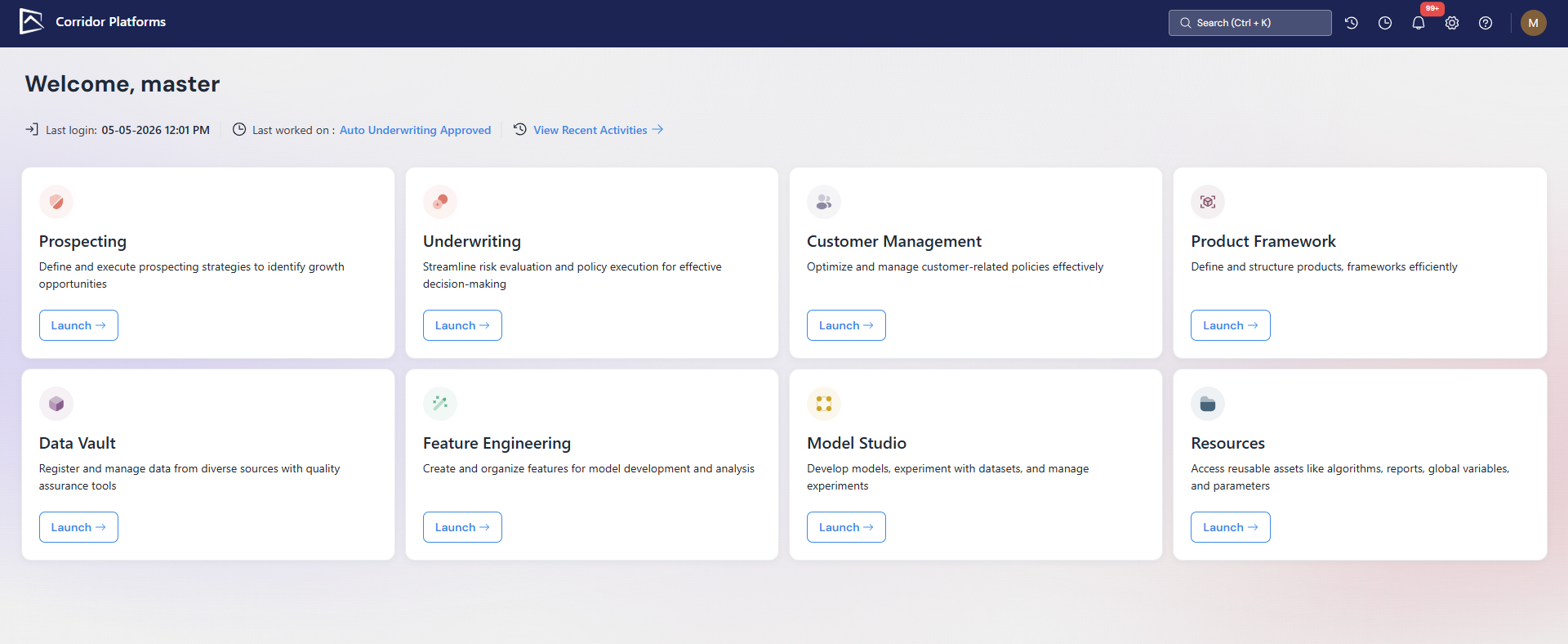
Click any module below to open its in-depth user guide. Hover over a tile to see an example of what it can be used for.
and estimate how many
customers qualify
Define targeting criteria, generate offers, and estimate qualifying populations.
installment loan, assign a rate,
and test before go-live
Approve, decline, assign pricing, and test policies before deployment.
for customers above a score
threshold after 12 months
with amount range, rate bounds,
and monthly payment calculations
Configure loan amounts, interest rates, terms, and the calculations behind each product.
validate it, register fields like
income or credit score
Acts as a governed, versioned library of your source data.
and reuse it across multiple
models and policies
Build derived features, test them, and make them available across models and policies.
simulate performance, and compare
against your existing model
Simulate performance and compare models before using them in decisions.
function or set a global parameter
used across multiple policies
Each module maps to one part of the analytical lifecycle:
- Data Vault registers data.
- Feature Engineering builds variables.
- Model Studio trains and registers models.
- The decisioning modules - Prospecting, Underwriting, and Customer Management composes policies on top of all of them.
To understand how these pieces connect, continue to: Understand the Analytical Lifecycle →
Was this page helpful?
Thanks for the feedback.