

Start with a Model
Ask AI
Maintaining multiple models across different teams can bottleneck the entire ML production lifecycle. Corridor is a centralized platform to monitor, manage, and govern all your models - reducing operational overhead, improving efficiency, and keeping your tech stack clean.
Models are objects that record the calculation used to predict a given outcome (dependent) from a set of inputs (independents). Corridor helps teams take models from development to governed production. Once registered, models become versioned, auditable objects that can be simulated, reviewed, monitored, and deployed into downstream decision systems.
Models can feed into policies as a scored input, or serve as a standalone scoring endpoint. The model can be built inside Corridor using a Notebook, or trained outside the platform and imported.
Supported formats: PMML, Pickle, H2O MOJO, Python Function, ONNX, Custom (you can configure).
The Model Lifecycle
Section titled “The Model Lifecycle”The flowchart below walks through the full model lifecycle, from registering your training data and building features, through iterative development and formal approval, to monitoring drift and retraining once the model is live.
What happens at each step
Section titled “What happens at each step”| Step | Module | What you do |
|---|---|---|
| Pre-Production | ||
| 01Register Data | Data Vault | Onboard your modeling data/data lake (independents, dependent, and target) and register the variables as data elements (or columns that you can use downstream). |
| 02Build Features | Feature Engineering | Transform the raw data into model-ready variables. E.g., WOE bins, ratios, DPDs, interaction terms, and flags that the model can consume directly. This becomes your reusable shared feature library. |
| 03Develop Model | Model Studio | Upload the model file (e.g., sklearn, PMML, pickle, ONNX, etc.) and map its inputs to the registered data elements and features. |
| 04Review Performance | Model Studio | Run the model on your data, with dashboards. Inspect AUC, KS, decile lift, PSI, CSI, fair-lending diagnostics and your own custom metrics. |
| 05Challenger Model | Model Studio | Compare the candidate next to the current production champion on the same dataset and review side-by-side performance metrics. |
| 06Approve Model | Model Studio | Route the locked version through the required reviewers (MRM, fair lending, others) for sign-off. Audit trail, change history, and evidence are captured automatically. |
| 07Export Model Artifact | Model Studio | Hand off the model artifact to your production team for smoke testing, and deploying to production. |
| Live Scoring · Outside Corridor | ||
| ··Live Model Scoring | Your stack | The exported model artifact runs in your own scoring engine (core, LOS, or MLOps platform), producing real-time or batch predictions for downstream systems. |
| Post-Production | ||
| 08Bring Data Back In | Data Vault | Flow scores, the input features that produced them, and realized outcomes back into Corridor to close the feedback loop. |
| 09Monitor Model | Model Studio | Track your model health with metrics, e.g., PSI, CSI, KS, AUC, and more. Set thresholds and alerts so performance issues are flagged early. When the model degrades, retrain on fresh data and re-approve through the same governed flow. |
What can you do on the model?
Section titled “What can you do on the model?”-
Register as a Model
Every input the model depends on is validated as a registered approved object. Lineage is automatic. Every version is tracked, every change recorded with timestamps and authors.
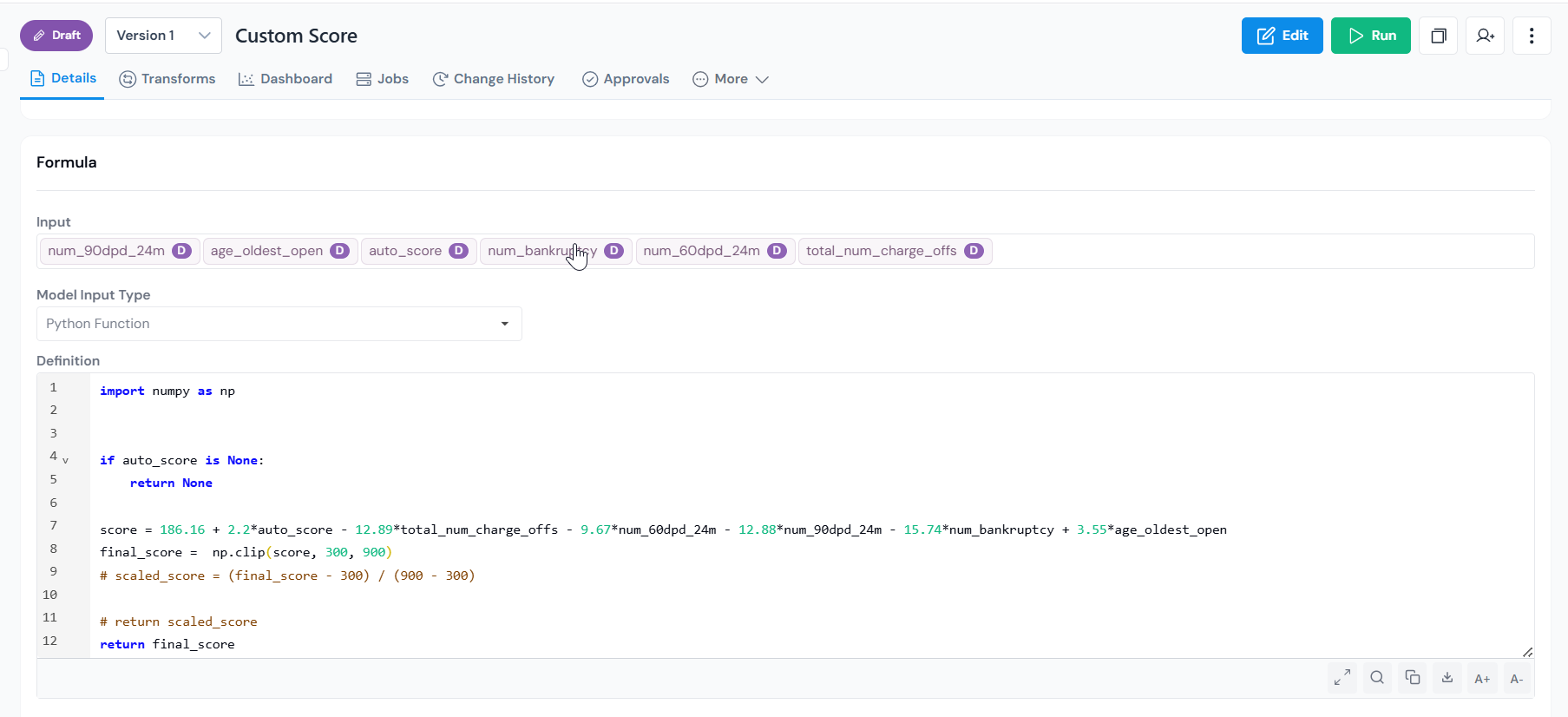
Model registration form where you select inputs and upload the model file. -
Simulate on your data before deployment
Before a model goes live, you need to know how it behaves on your actual data. Run a simulation to produce the full results including performance reports, score distributions, and any custom dashboards configured for the model. These outputs can be attached to the approval request as validation evidence.
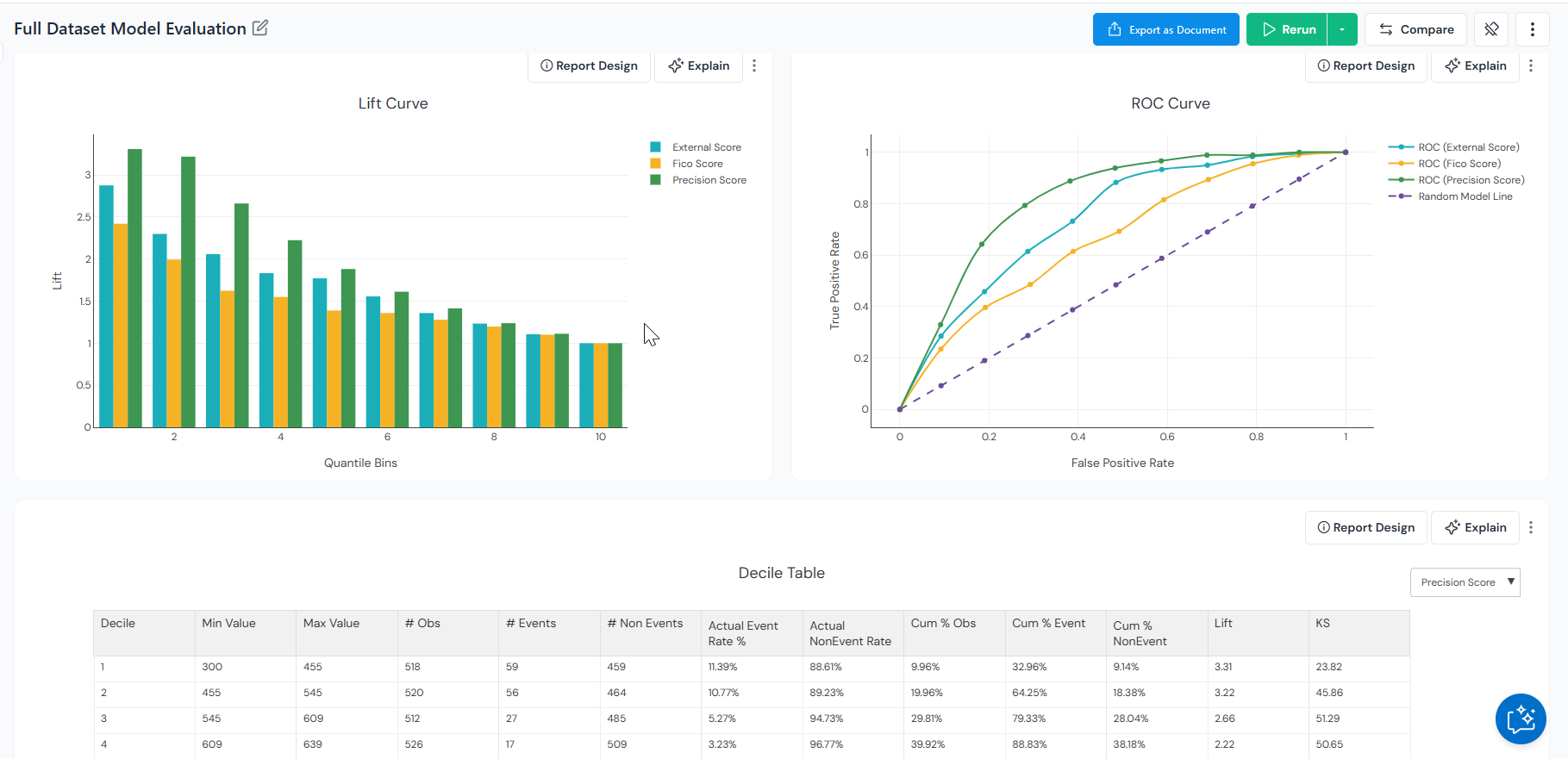
Simulation reports with performance metrics, score distributions, and configured dashboards. Champion vs. challenger comparison. Pit the candidate model against the current production model on the same dataset. Review side-by-side metrics like AUC, KS, and lift, see where the two models agree and disagree, and decide whether the new model is worth promoting to production.
-
Govern through formal approvals
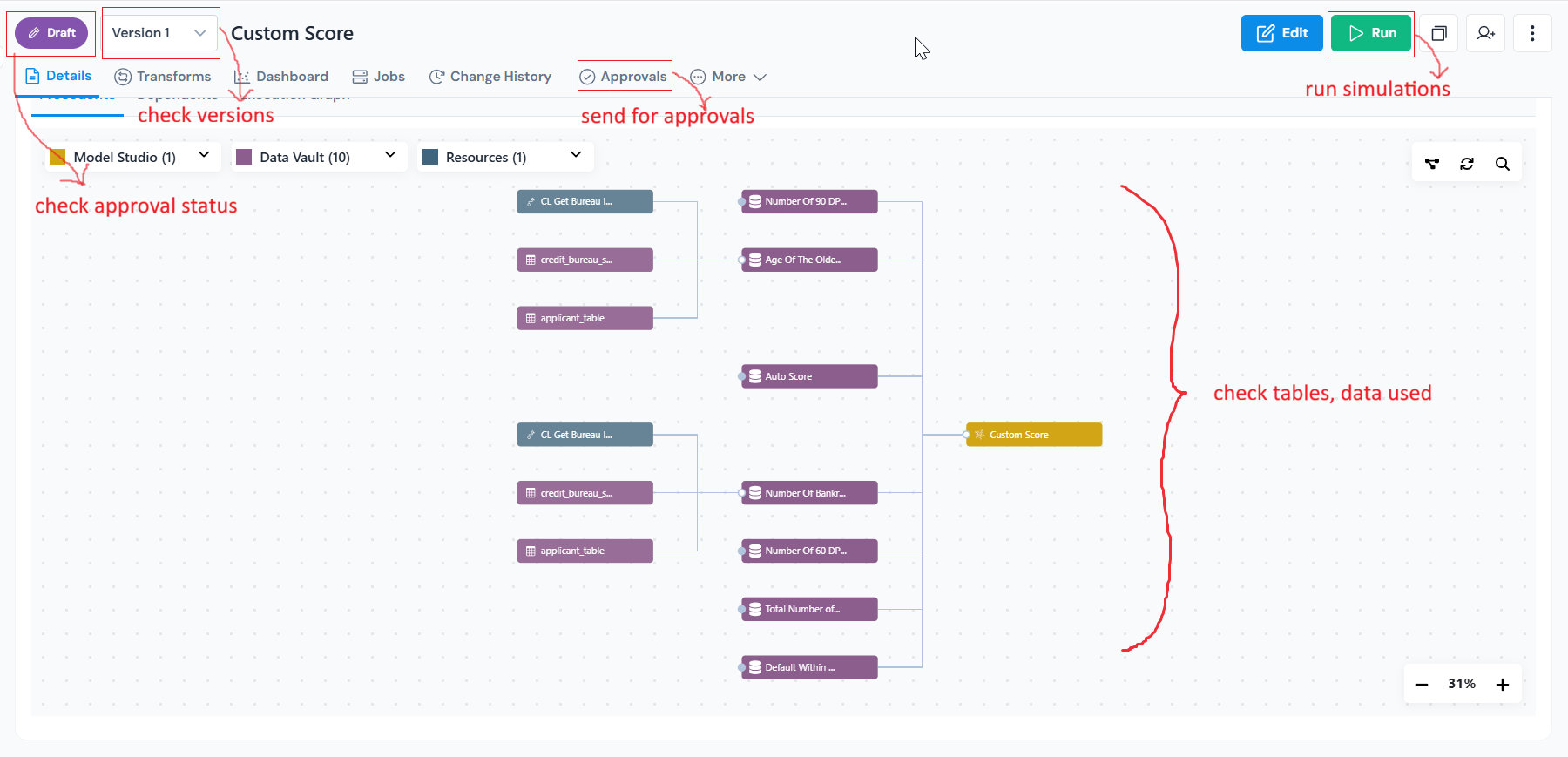
Registered model page showing Run, Version, Status, and Lineage at a glance. Route models through formal approval workflows before deployment.
Reviewers can inspect lineage, simulation outputs, comments, governance history, and validation evidence directly from the approval flow.
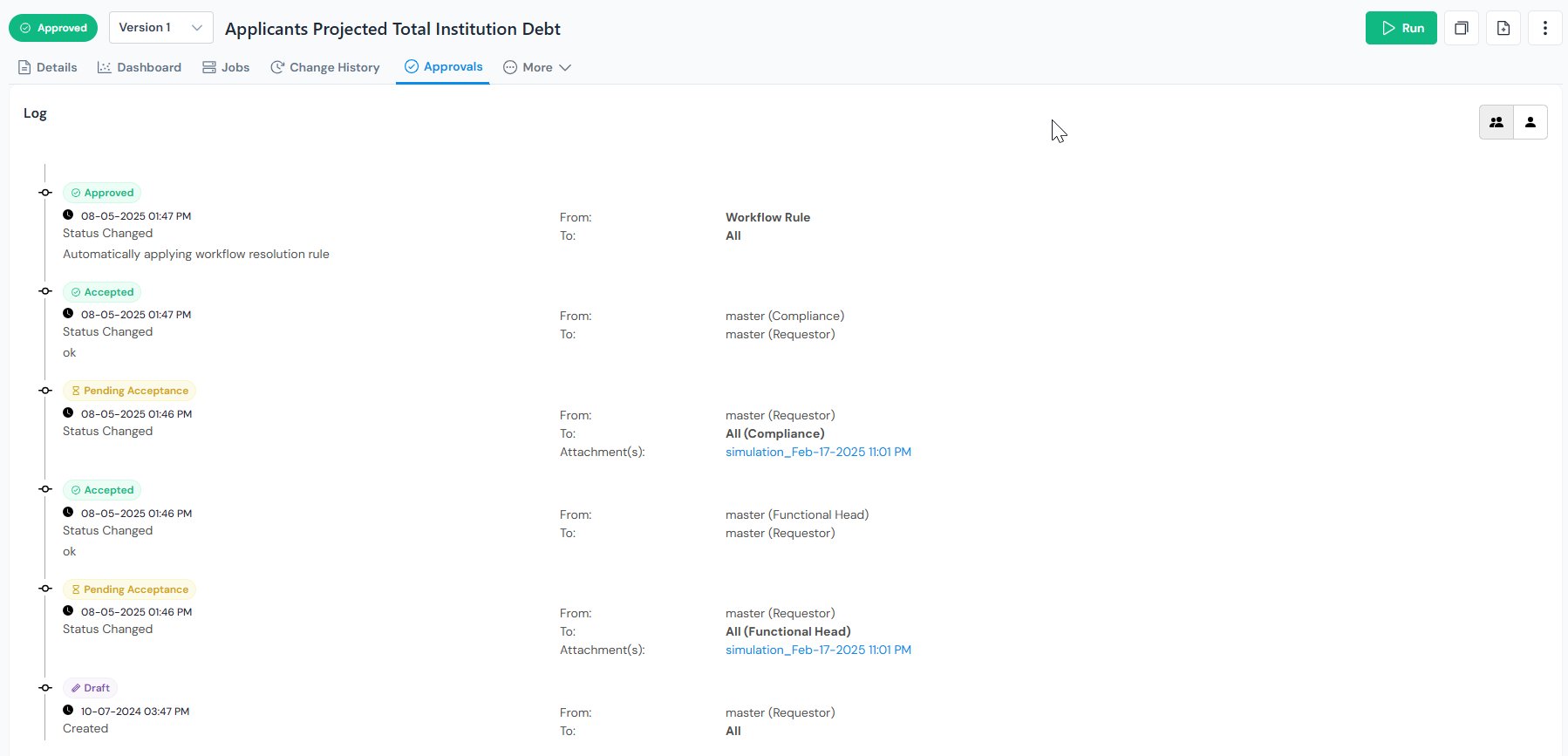
Audit log capturing every change, reviewer action, and approval event for the model. Approved model versions can be promoted across environments while preserving governance history and traceability.
-
Monitor in production
Track drift, alerts, governance status, and model health over time through Monitoring Dashboards.
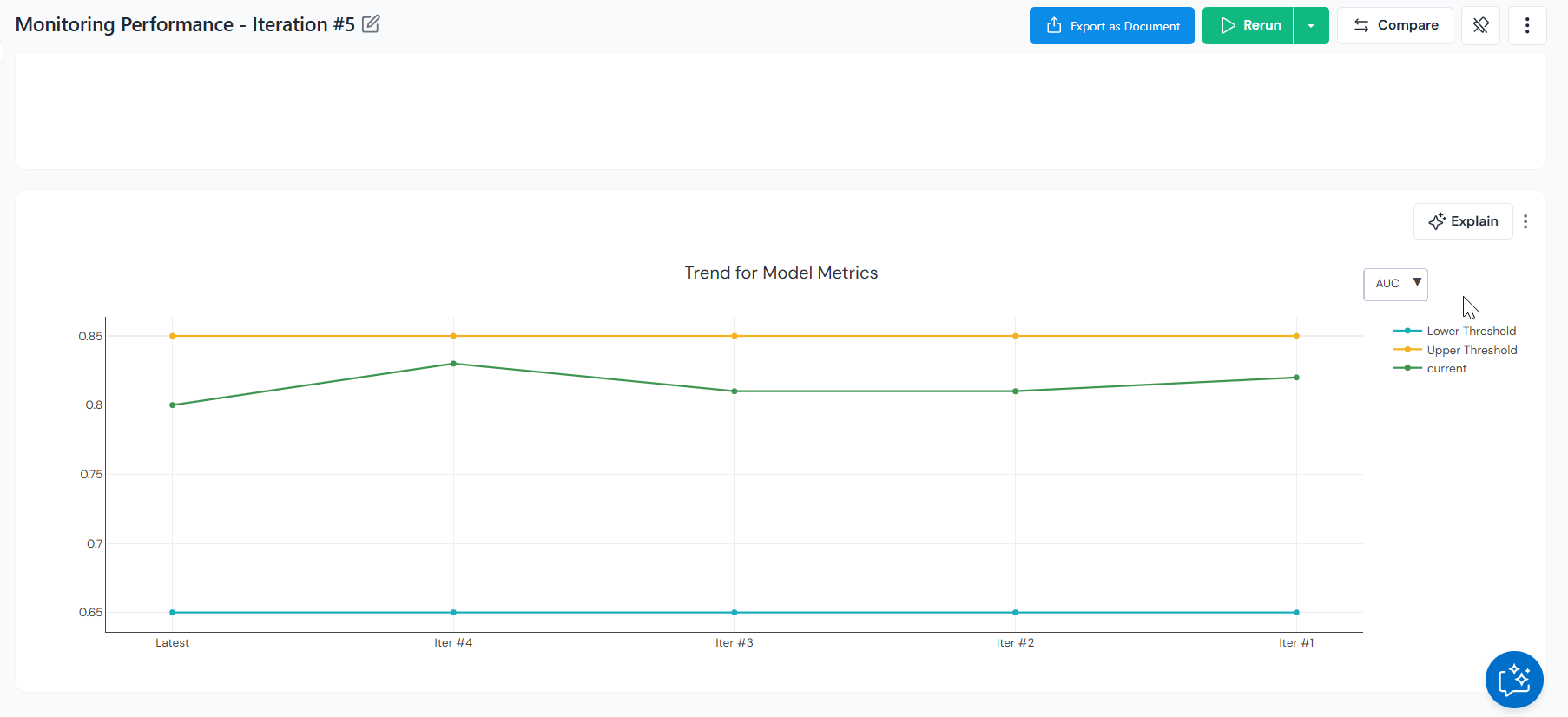
Monitoring dashboard tracking drift, accuracy, and alerts across production runs. Configure thresholds on any tracked metric so that breaches surface as alerts the moment they happen, you can set to send emails, notifications or flag these breaches.
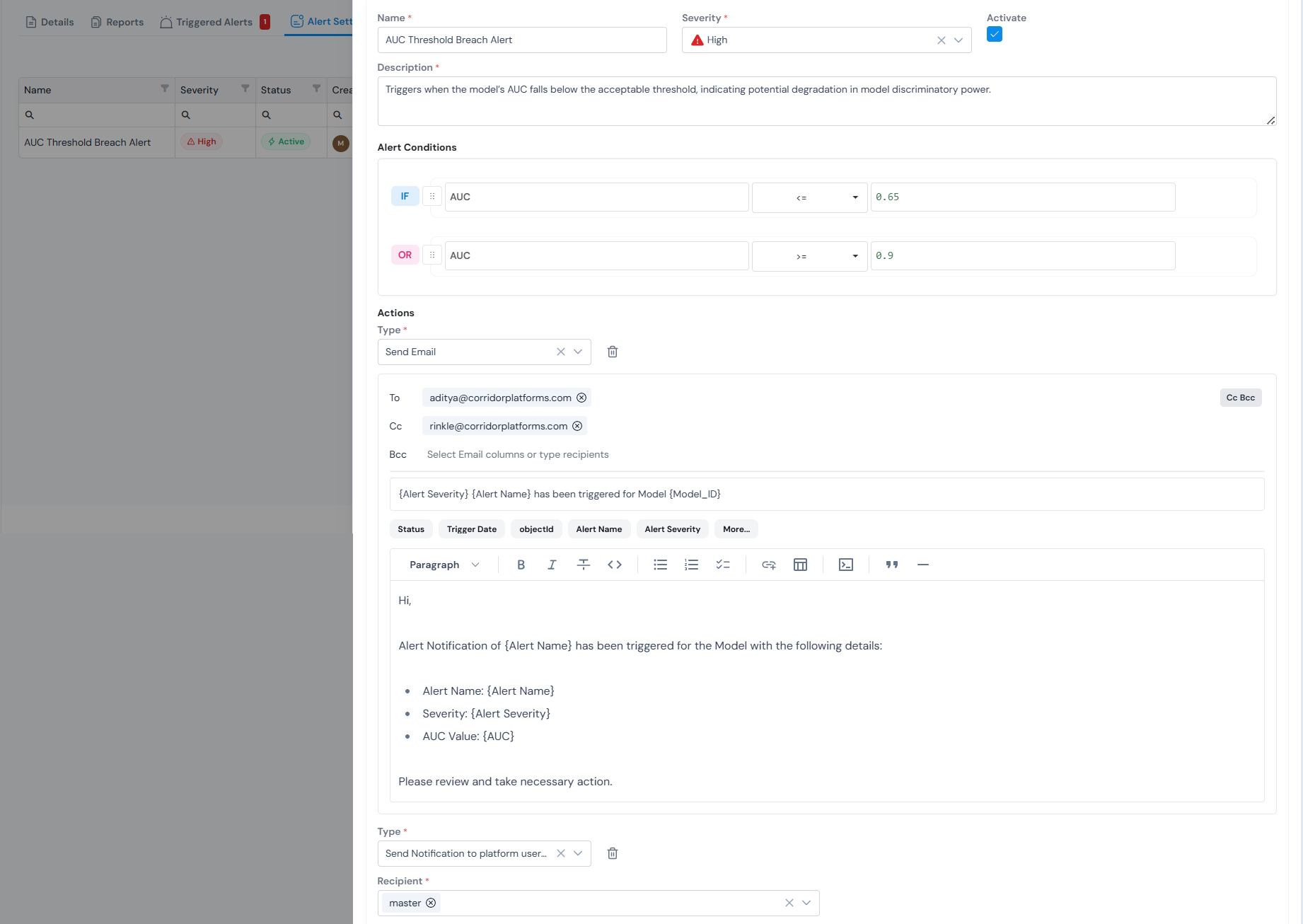
Threshold-based alerts flag drift and performance issues as soon as they breach. When performance changes, teams can retrain, version, review, and revalidate models through the same governed workflow.
Register a model?
Section titled “Register a model?”Select the inputs (data elements and features) and upload the model file.
If your data elements and features are not set up yet, work through those first.
For the full step-by-step walkthrough see Register a Model Definition.
Was this page helpful?
Thanks for the feedback.