

Release Notes V1.25.5
Ask AI
| Version | 1.25.5 |
|---|---|
| Release Date | May 5, 2025 |
1. Running Job
Section titled “1. Running Job”1.1 Stage-based Realtime Job
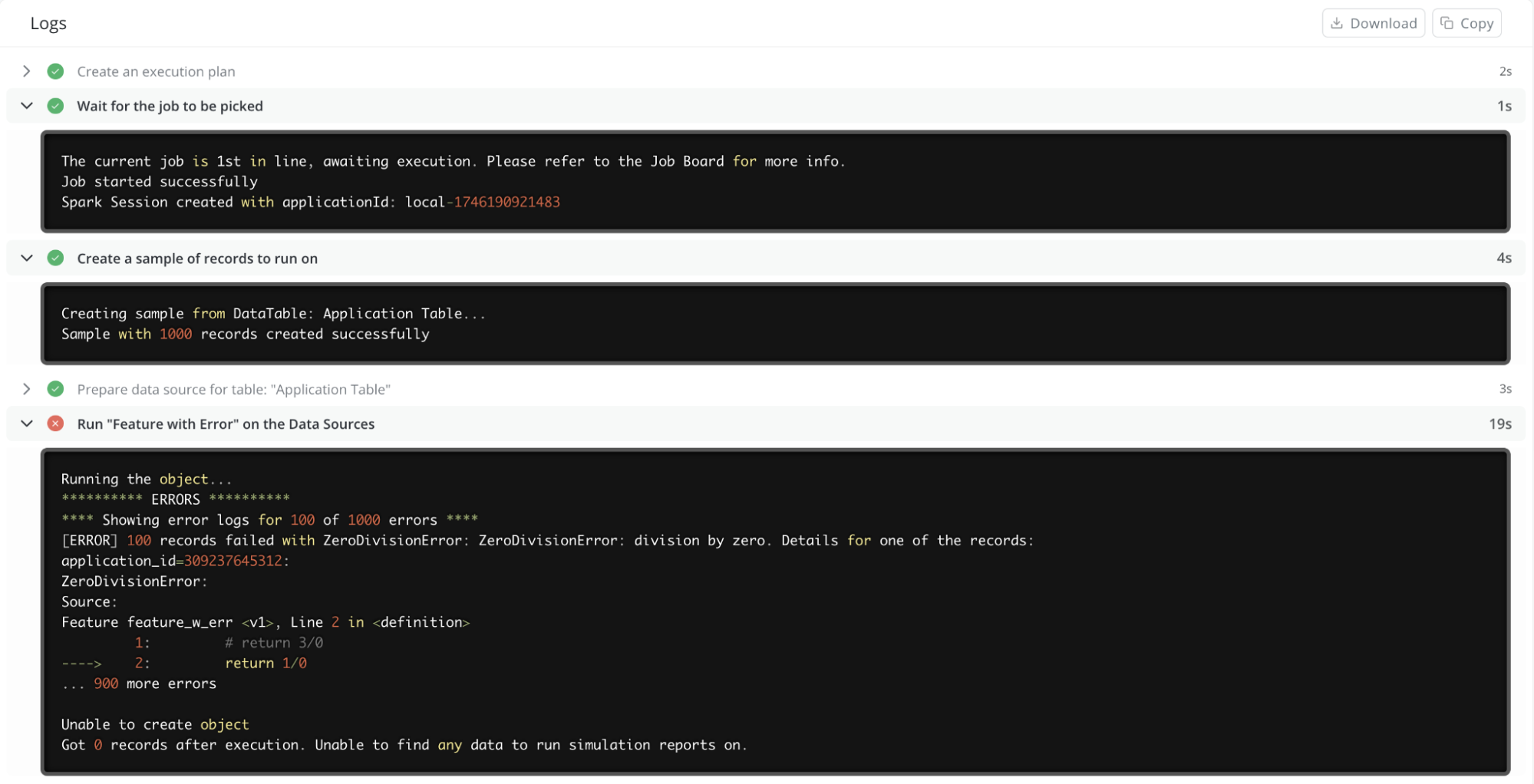
Section titled “1.1 Stage-based Realtime Job”We’ve enhanced the job logging experience to provide detailed, stage-by-stage logs. This update helps users monitor the progress of long-running jobs in real time, pinpoint exactly where issues arise, and get deeper insights into the underlying processes.
What’s New:
- Stage-based log organization: Logs are now categorized by job stages (e.g., Compiling, Creating Sample, Running Reports), each displaying with clear status indicators such as started, completed, failed, or partially succeeded.
- Live log streaming: Logs update dynamically during job execution, allowing users to track progress in real time without waiting for the job to finish.
- Enhanced contextual details: Each stage includes relevant logging details. For example, the compiling stage provides the Spark application ID, while the sampling stage displays the actual sample sizes created. Additionally, user-defined print statements and record-level error summaries are included where applicable.
1.2 Optimize the Performance of Rerun
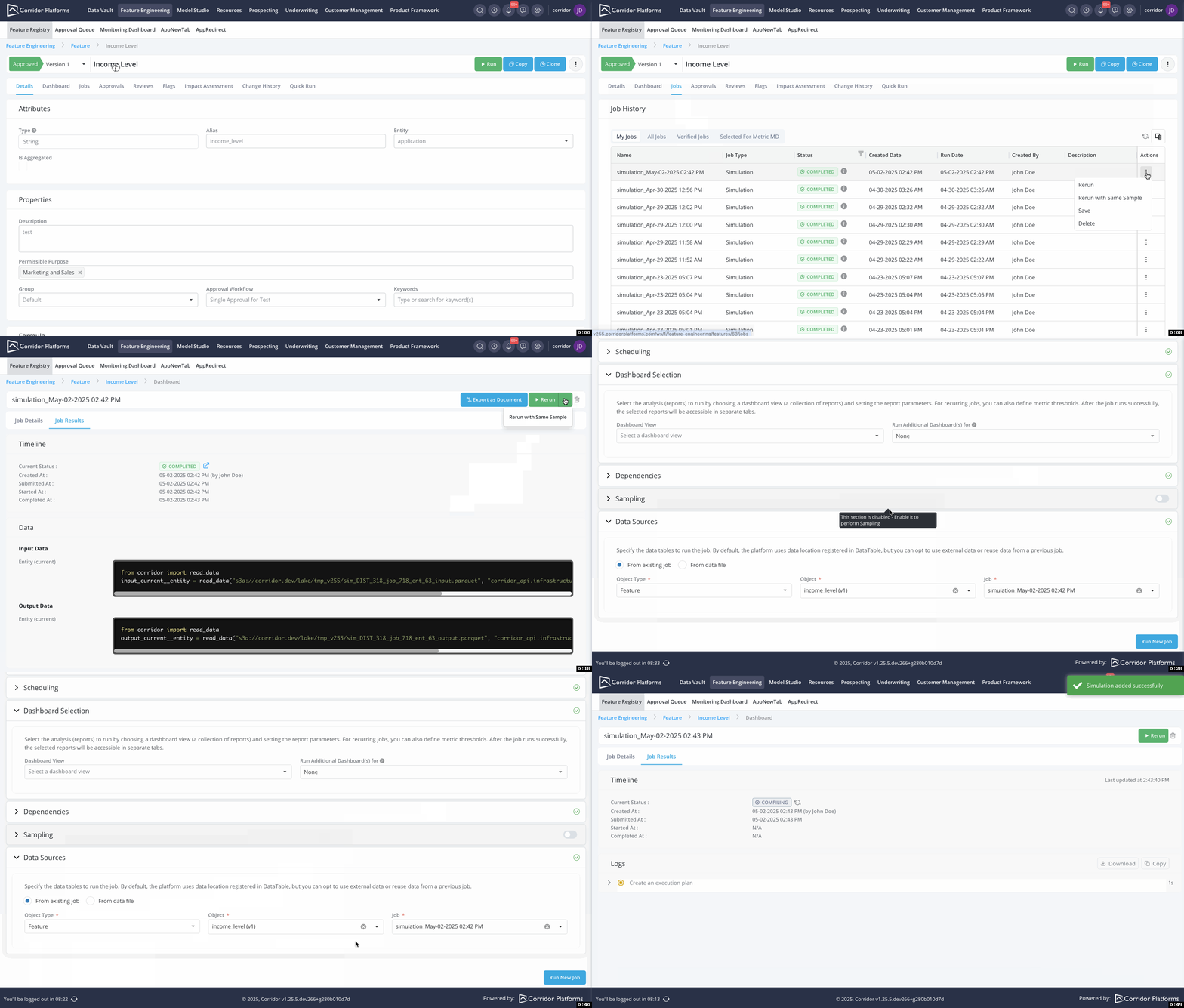
Section titled “1.2 Optimize the Performance of Rerun”Enhanced rerun efficiency by leveraging filtered data from previous jobs.
Any existing job can be reused as long as the sampling and data source creation stages have been successfully executed.
1.3 Improved Filtering Accuracy with “Between” Rules
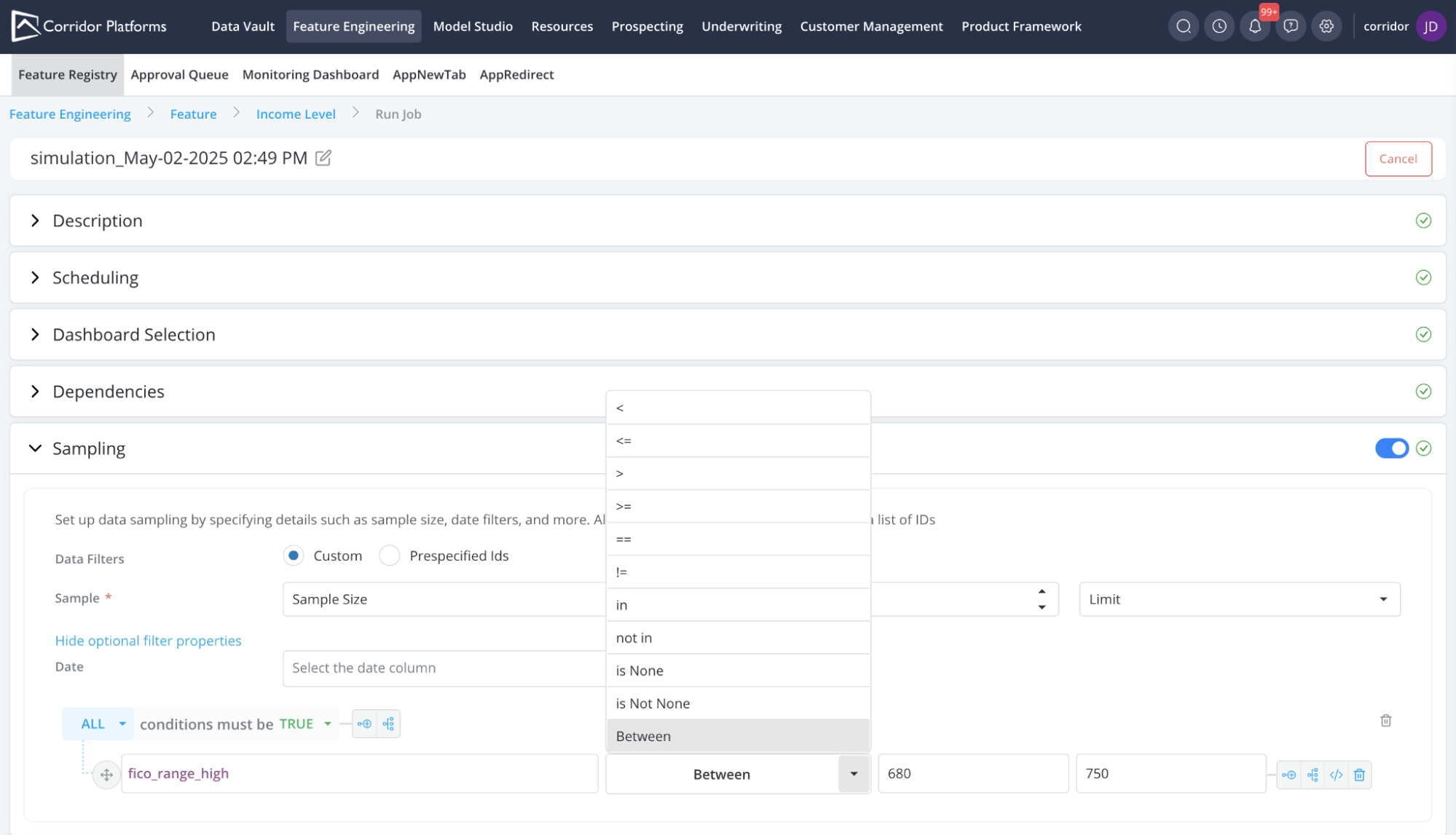
Section titled “1.3 Improved Filtering Accuracy with “Between” Rules”Enhanced filtering, subsetting, and rule creation with support for “between” rules.
This update significantly minimizes manual errors when selecting the “less/greater than” operator instead of the intended “less/greater than or equal to” operator.
Note: For “between” operators, both minimum and maximum values are inclusive.
1.4 Simplified Runtime Parameter Entry
Section titled “1.4 Simplified Runtime Parameter Entry”Runtime Parameters are required frequently when running a job. With this update, providing runtime parameters gets easier.
What’s New:
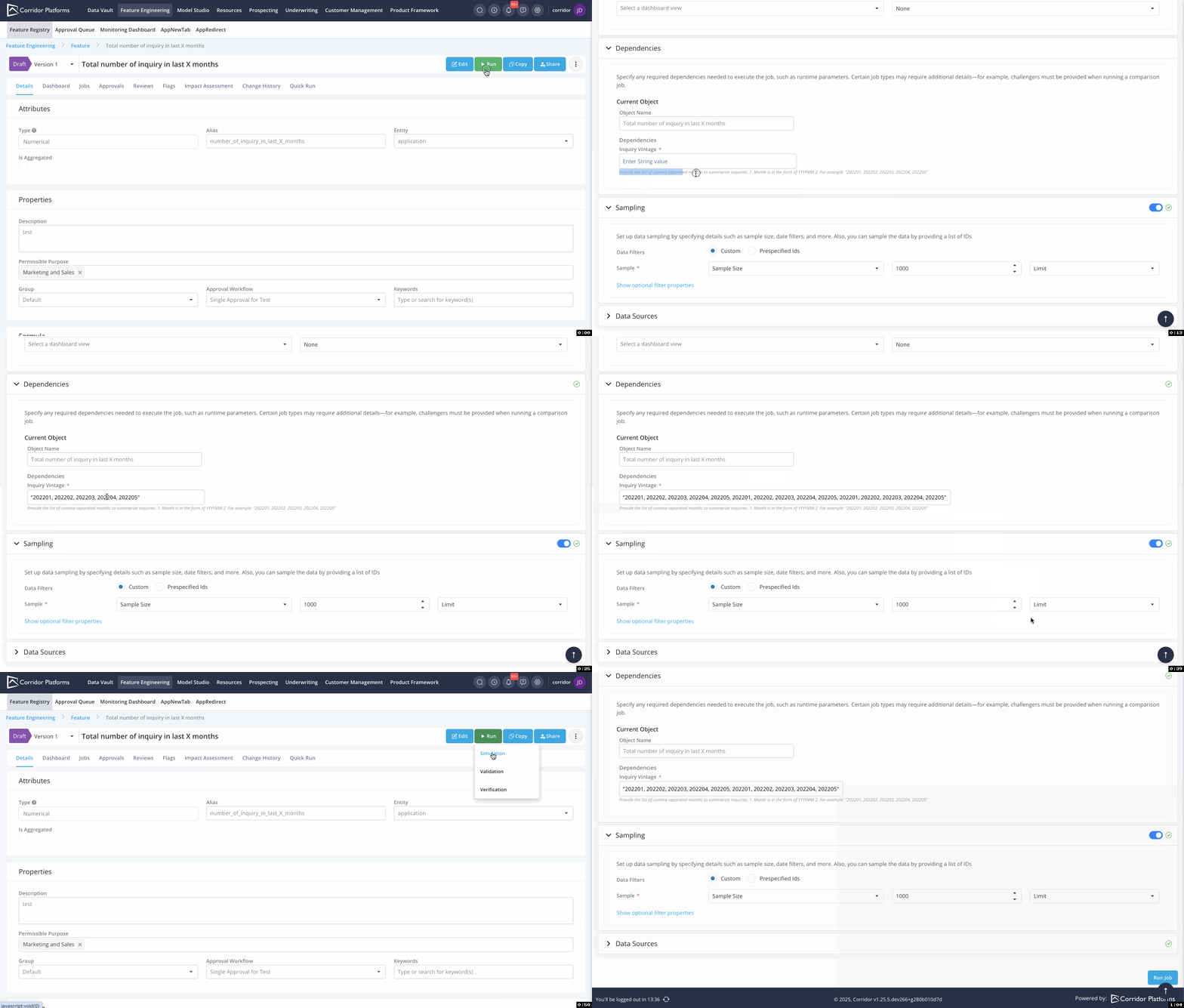
- Improved Guidance: Clear descriptions for RTP are now displayed on the run job page, offering better guidance on what each RTP is and how to input values correctly.
- Effortless Reuse of Runtime Parameter Values: Previously used RTP values are now available for all text fields, making reuse easier and more efficient.
- Dynamic Input Field Expansion: Automatically expand the input field to accommodate larger content.
Note: These enhancements apply not only to runtime parameters but also to all dependencies required on the job page.
1.5 Jupyter-like Error Tracebacks in Jobs
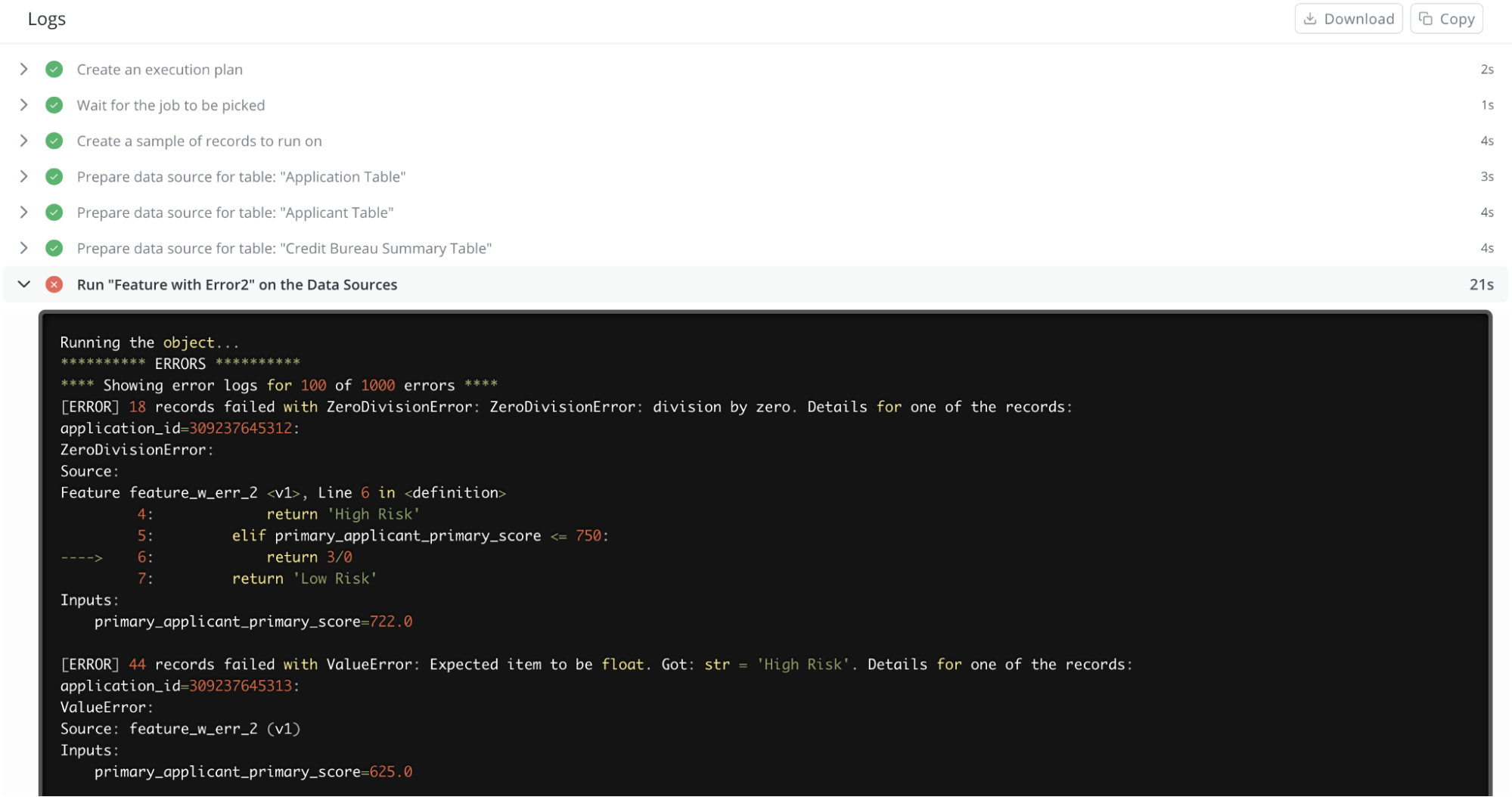
Section titled “1.5 Jupyter-like Error Tracebacks in Jobs”Improve the clarity of job errors by providing context around failures. This enhancement enables users to quickly identify and understand the cause of issues during job execution.
What’s New:
- Contextual Tracebacks: Show preceding and succeeding lines around the error with clear markers, helping users navigate the issue efficiently.
- Focused Error Highlighting: Use a distinct arrow ( ---> ) to pinpoint the exact line of failure for quick identification.
- Improved Debugging Messages: Ongoing refinements to error messages for more intuitive and effective troubleshooting.
1.6 Enhanced Job Queue Visibility
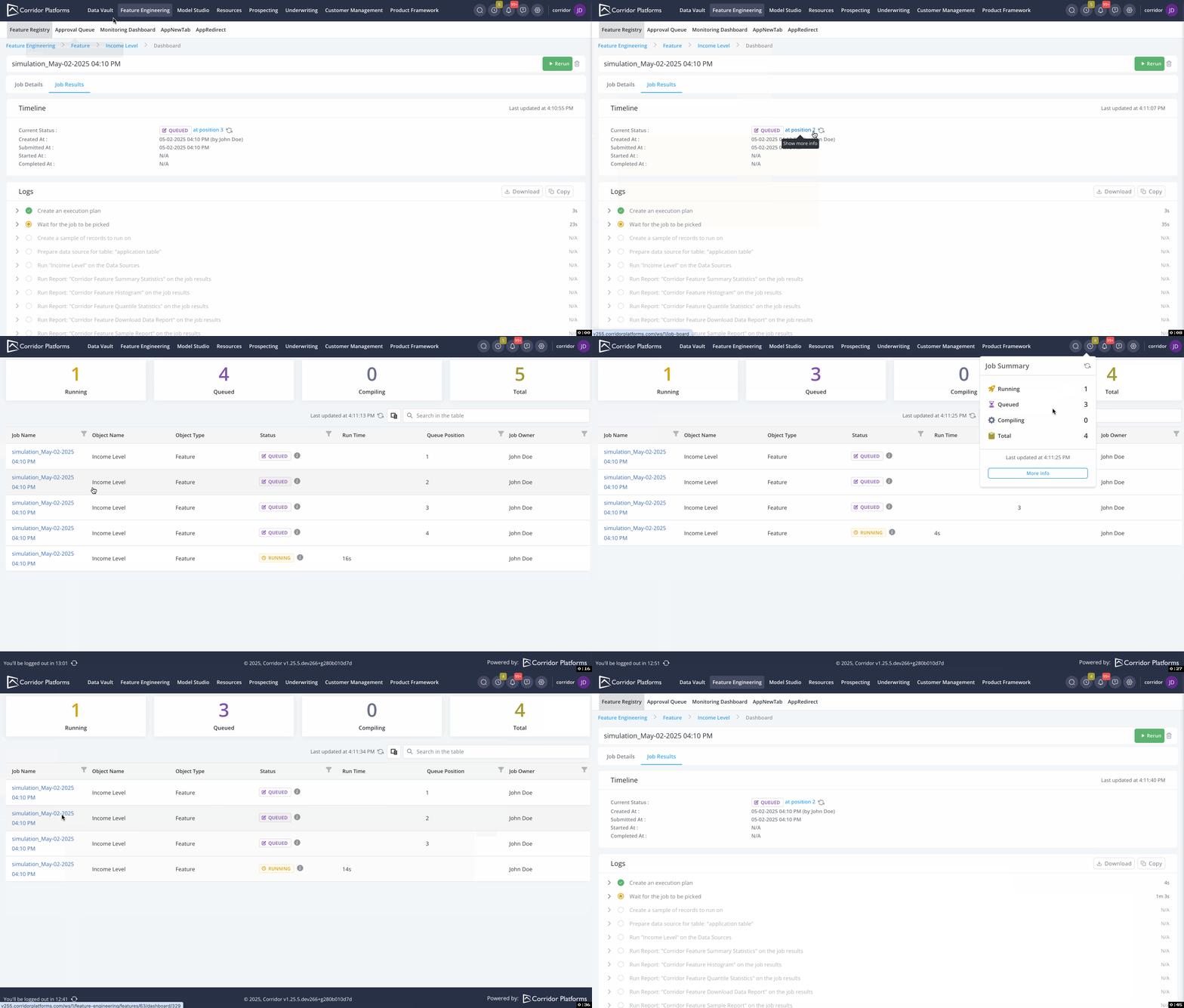
Section titled “1.6 Enhanced Job Queue Visibility”Enhance job execution stage visibility with a more accessible and insightful job board.
What’s New:
- Queued Position Tracking: For queued jobs, the job details now display the position in line, offering better visibility into execution order.
- Real-Time Status Updates: A refresh button provides instant access to the latest job and worker queue status.
- Job Board Overview: Clicking the Job Board icon reveals a summary of job execution statuses across available resources.
2. Various Usability Improvements
Section titled “2. Various Usability Improvements”2.1 Flexible Editing Across Versions
Section titled “2.1 Flexible Editing Across Versions”Modelers can now modify key attributes across different versions, enabling more flexible iteration and version management without requiring duplicate copies.
Editable Fields Across Versions
Section titled “Editable Fields Across Versions”- Model Algorithm Type
- Model Type
- DataElement Type
- Feature Type
- GlobalFunction Type
2.2 Inline Syntax Checking
Section titled “2.2 Inline Syntax Checking”This ongoing initiative enhances inline syntax checking, eliminating the need to manually click the test syntax button. Going forward, all syntax errors will be highlighted in real time.
2.3 Self-documented Platform
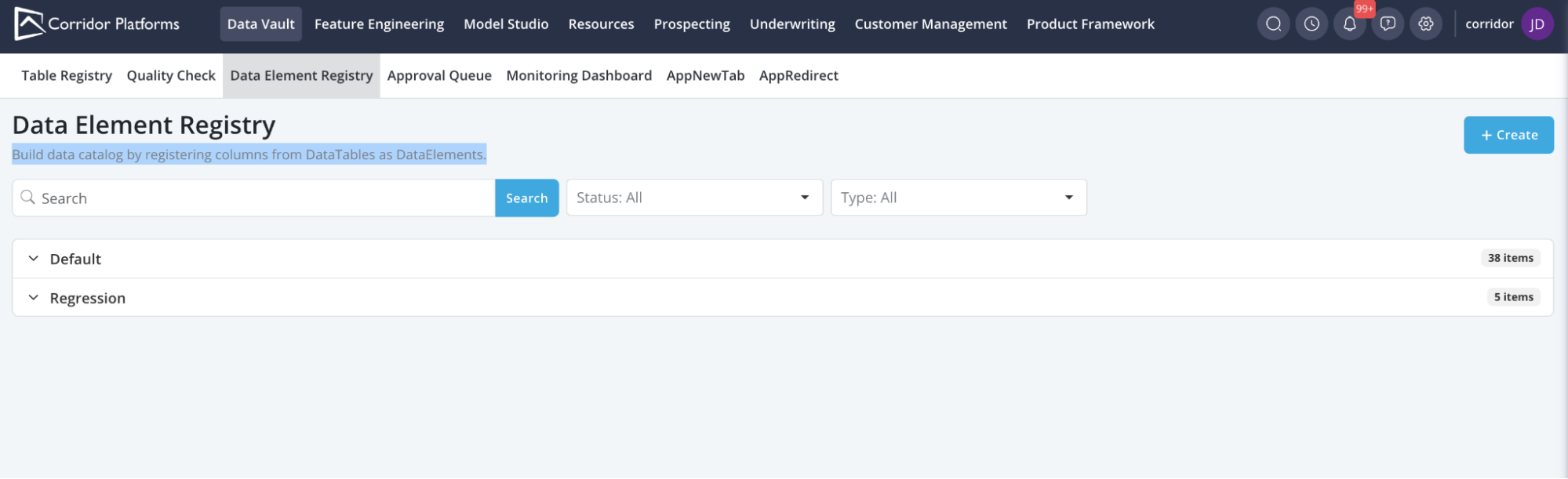
Section titled “2.3 Self-documented Platform”We’re launching an initiative to develop a self-documented platform, ensuring that everything is explained within the system itself, reducing reliance on external user manuals.
Currently, documentation has been added for:
- Module-Level Concepts
- Run Job Page Sections
3. Technology
Section titled “3. Technology”3.1 Remove Parent-level Properties for Transforms
Section titled “3.1 Remove Parent-level Properties for Transforms”Transforms function as sub-objects within a Model or Dataset, inheriting many properties from their parent object. This update eliminates the need to register properties that are not uniquely relevant to the transform itself.
Removed properties and capabilities:
- Permissible Purpose
- Group
- Keywords
- Additional Outputs
- Notes
- Run Job Capabilities
Was this page helpful?
Thanks for the feedback.